

Adhuh
Epic Pika
- Joined
- Jun 15, 2023
- Messages
- 109
- Points
- 39
- IGN
- Adhuh
Minecraft username:
Suggestion:
Detailed description:
Reason(s):
Example(s):
Adhuh
Suggestion:
Show the player count of each Minigame
Detailed description:
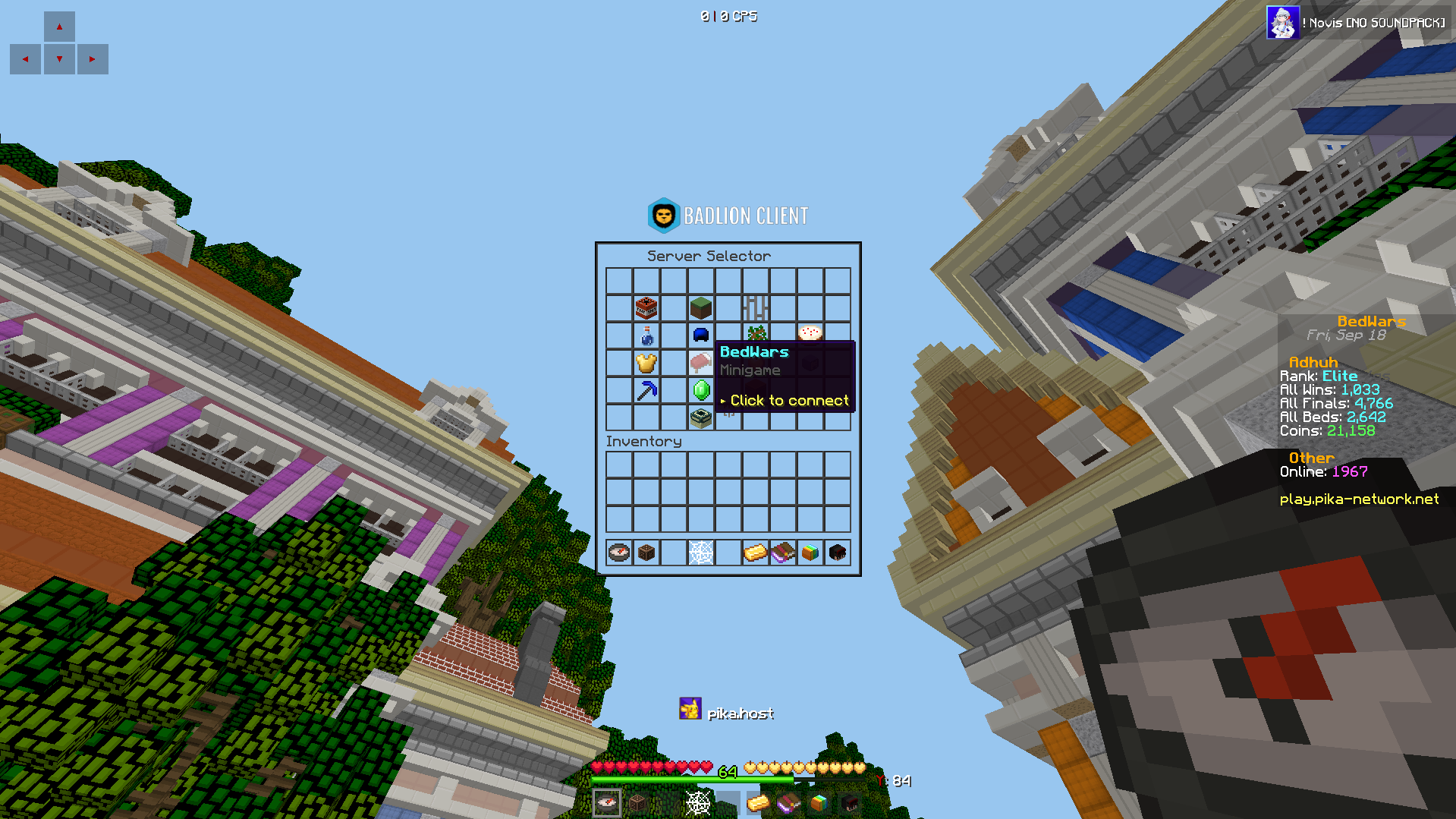
When you do the command /server or right click the compass, you should be able to see how many people are online in that individual gamemode when you hover over it.
And the number will update every so often, it doesn't have to be very frequent, it could be like once every 15s / 30s / 60s (you get the gist)
More info on format/appearance in "Example(s)"
Reason(s):
- it generally just shows where the pikanetwork community is - popular gms and unpopular gms
- it will reduce unnecessary joining/leaving - if players join and realise that server is empty they're just going to leave
- it will help players decide what to play
- it will encourage players to explore - seeing new gm with a large amount of players will definitely make a player curious enough to join that specific gm
*gm = gamemode
Example(s):

but when you hover over it it should say:
BedWars
Minigame
• "542" players online (number used for example)
> Click to connect
or something similar for different gms.
Last edited:
